Driving an E-Scooter Sharing App Through a Minimal E2E Run — Flutter + Spring Boot with dev profile shortcuts
What You’ll Learn
- Where to draw the line between UI and API when getting a Flutter + Spring Boot e-scooter sharing app to a minimal E2E
- How to design the “select a scooter at a port” UX
- How to push the post-login flow (payment → traffic rules test → eKYC → ride → return → receipt) through a dev-profile mock implementation
Target Audience
- Developers building a mobile app and a backend in parallel with Flutter + Spring Boot
- Anyone who wants “all screens to flow once” before plugging in real auth / payments / eKYC
- Engineers wondering where to put dev / prod code branches and what to put there
Environment
| Item | Version |
|---|---|
| Flutter | 3.x (Material 3) |
| Java | 21 |
| Spring Boot | 3.4.5 |
| PostgreSQL | 17.2 |
| Map rendering | flutter_map (OpenStreetMap tiles) |
| Location | geolocator |
| HTTP | dio |
| State management | flutter_riverpod |
| Device | Pixel API 35 emulator |
Series article (in active development) — This article is part of Building Street-Level E-Scooter Sharing From Scratch to Understand It — Design, Implementation, and Operations Series. The project is ongoing; new articles and design notes are added continuously. The series motivation, technology stack, screen-ID glossary, and the full article index are collected at the link above.
Overall Architecture
- Scooter/port masters, users, rentals, and eKYC sessions are persisted in PostgreSQL
- External dependencies (SMS / Stripe / eKYC vendor / MQTT IoT) are mocked inside the API service implementations
- The app talks “as if to a real API,” and the truth gets bent on the server side
[ Flutter app ] ──HTTP──> [ Spring Boot API (dev profile) ]
                                ├─ Auth (SMS Mock)
                                ├─ Payment (Stripe Mock)
                                ├─ eKYC (Vendor Mock)
                                ├─ Rental (real DB + Stripe Mock + MQTT Mock)
                                └─ PostgreSQL (real DB)
Starting Point: Home Map and Ports
Launching the app on the emulator brings up the S02 home screen.
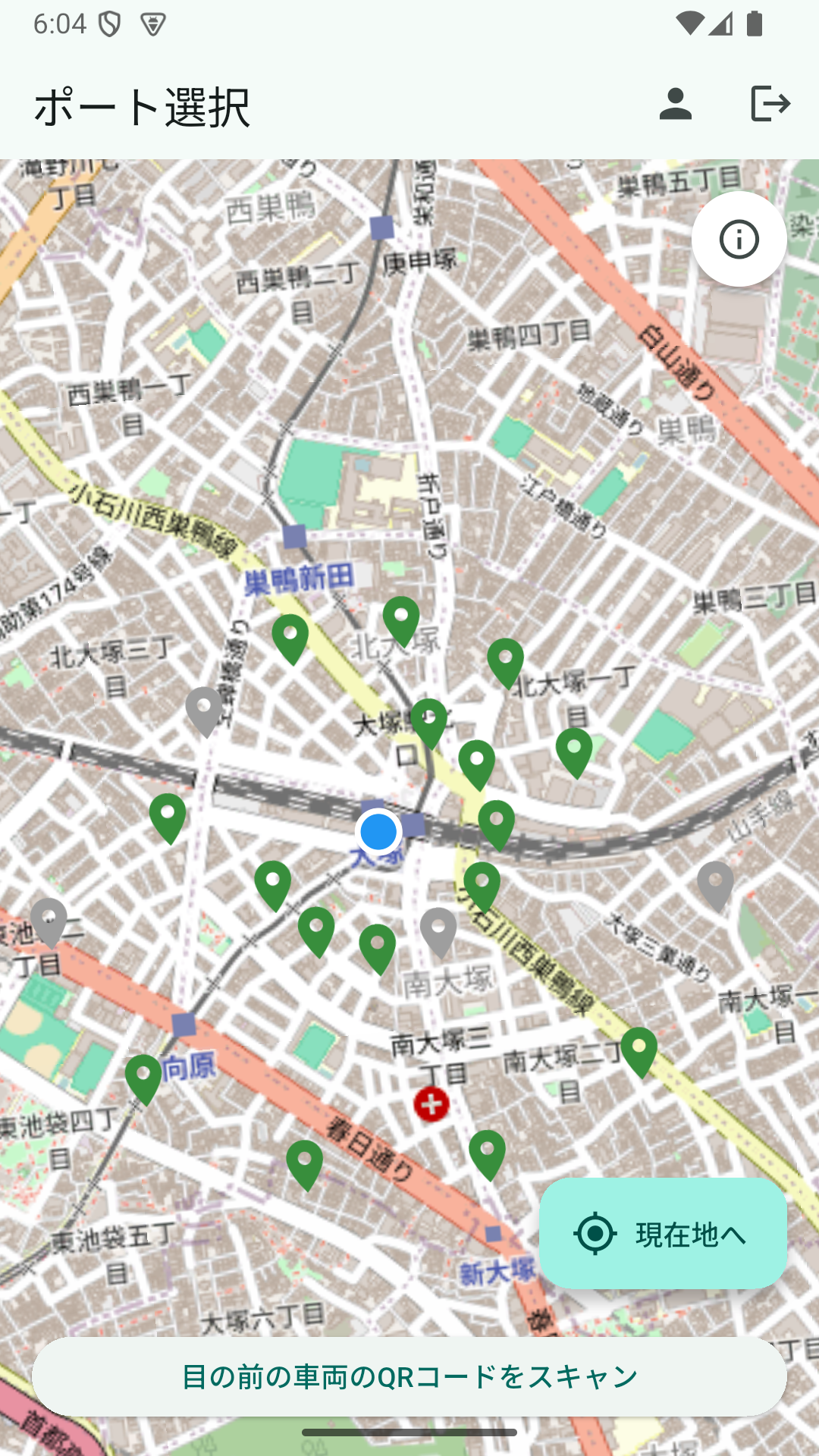
Port pins are colored green (available scooters) and gray (zero available). At first we considered showing a numeric badge for the count of available scooters, but it cluttered the map. Color alone turned out to be enough to communicate state.
Friction ① What To Show After A Port Tap
Before the tap, only the aggregate (available / empty slots) is known. Users who want to pick a scooter get stuck here. So we added a “scooters at this port” section in the child sheet.
- API: new
GET /api/v1/ports/{portId}/scootersreturns scooter ID, status, and battery level - App: tapping a port pin opens a
DraggableScrollableSheetshowing a scrollable list of scooters
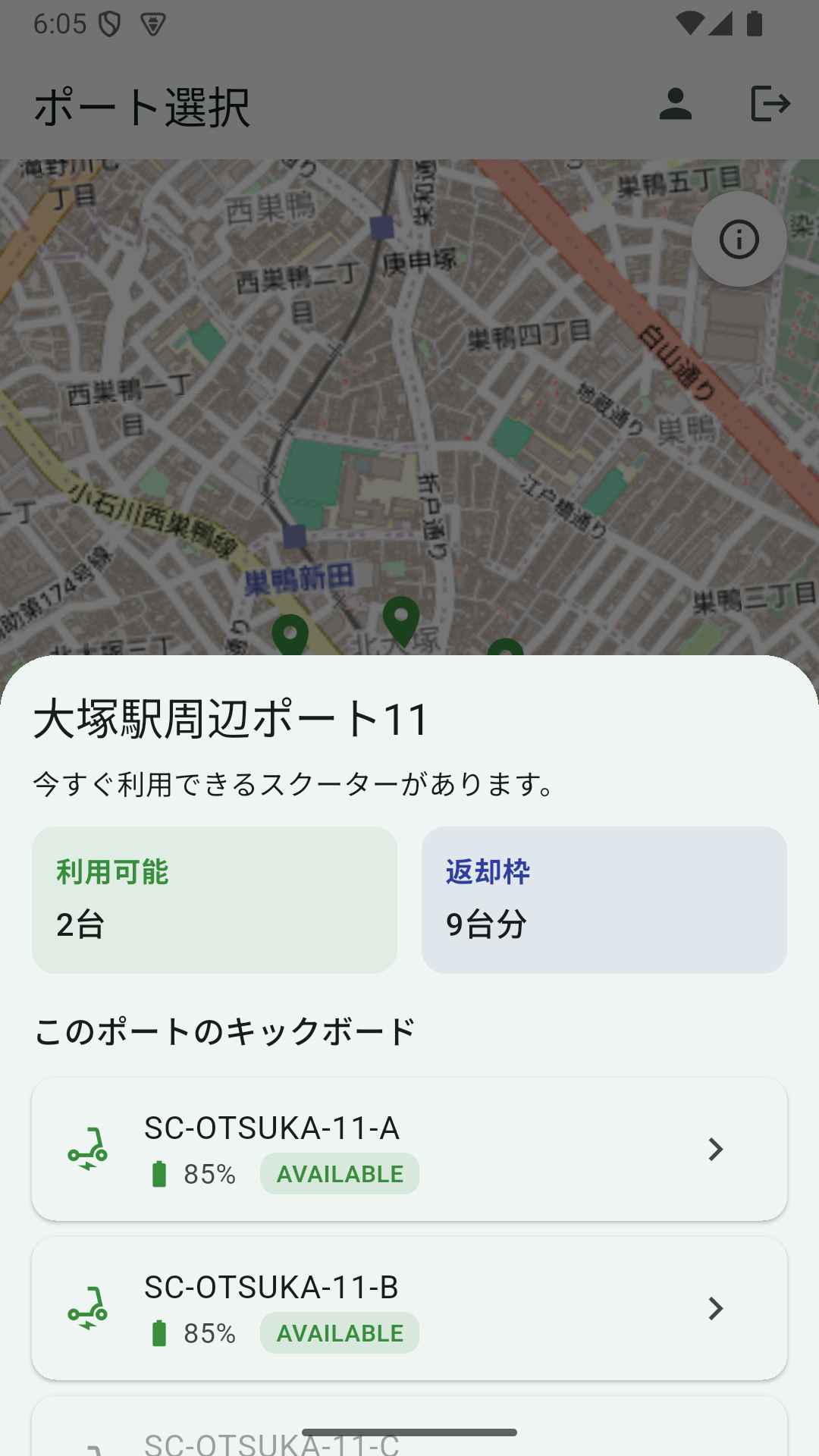
Only AVAILABLE rows are tappable; maintenance scooters are grayed out — “what can’t be ridden can’t be tapped.”
Tapping a scooter navigates to /destination?scooterId=....
Friction ② Unifying the Return-Port Selection UI
The destination screen (S04) originally let you pick a port on the map, then advance via a “Proceed to ride setup” button at the bottom of the screen. The gaze had to jump to the bottom, and the selected-port feedback was weak. So we redesigned:
- Show the same number of ports regardless of whether they have empty slots (matches the home screen count)
- Pins with 0 empty slots are drawn in gray
- On tap, show the same-size card and the same “available / empty slots” cards as on the home screen
- Add a “Return here” button below the cards (disabled when empty slots == 0)
- Remove the bottom “Proceed to ride setup” button
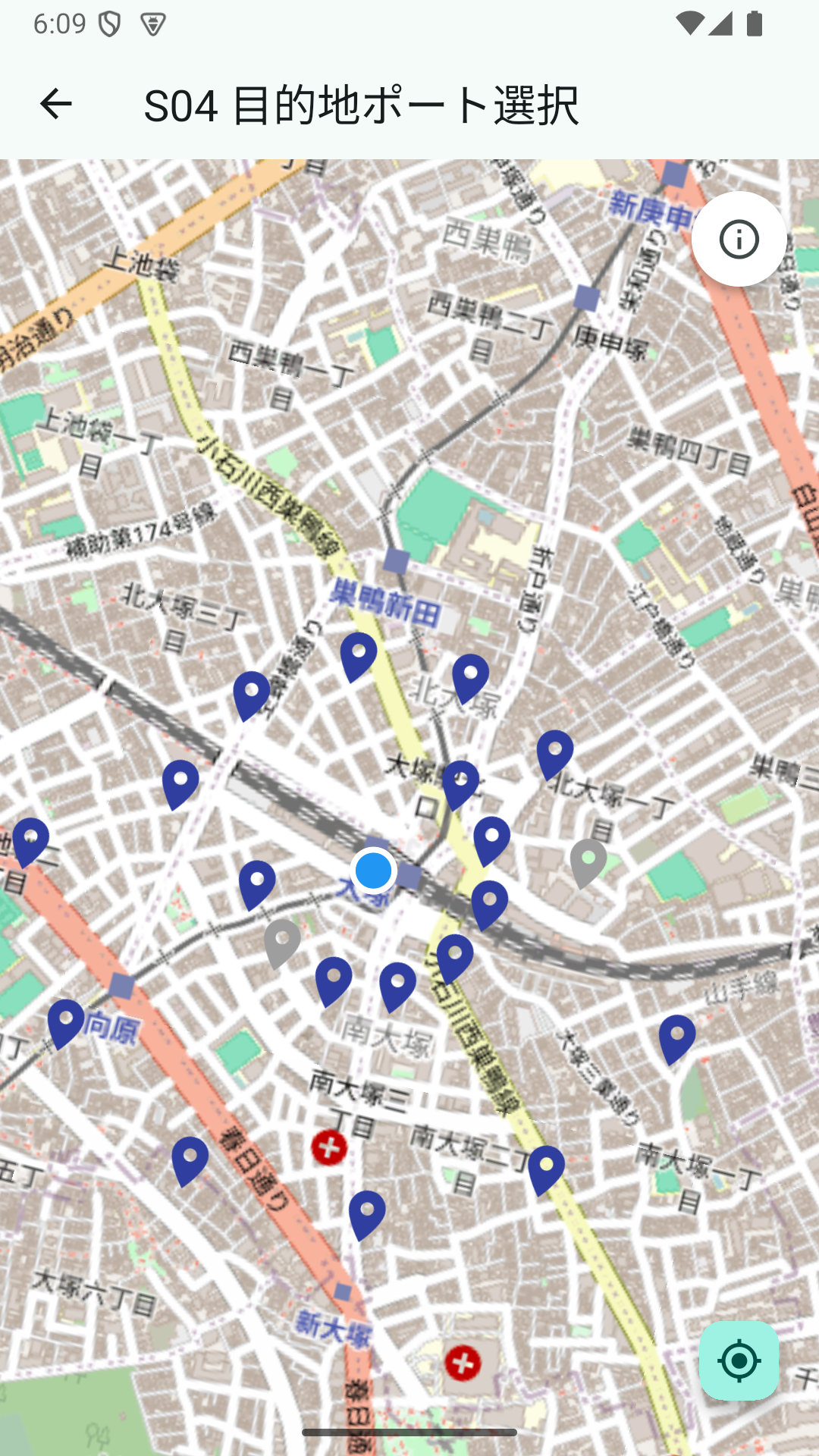
A returnable port:
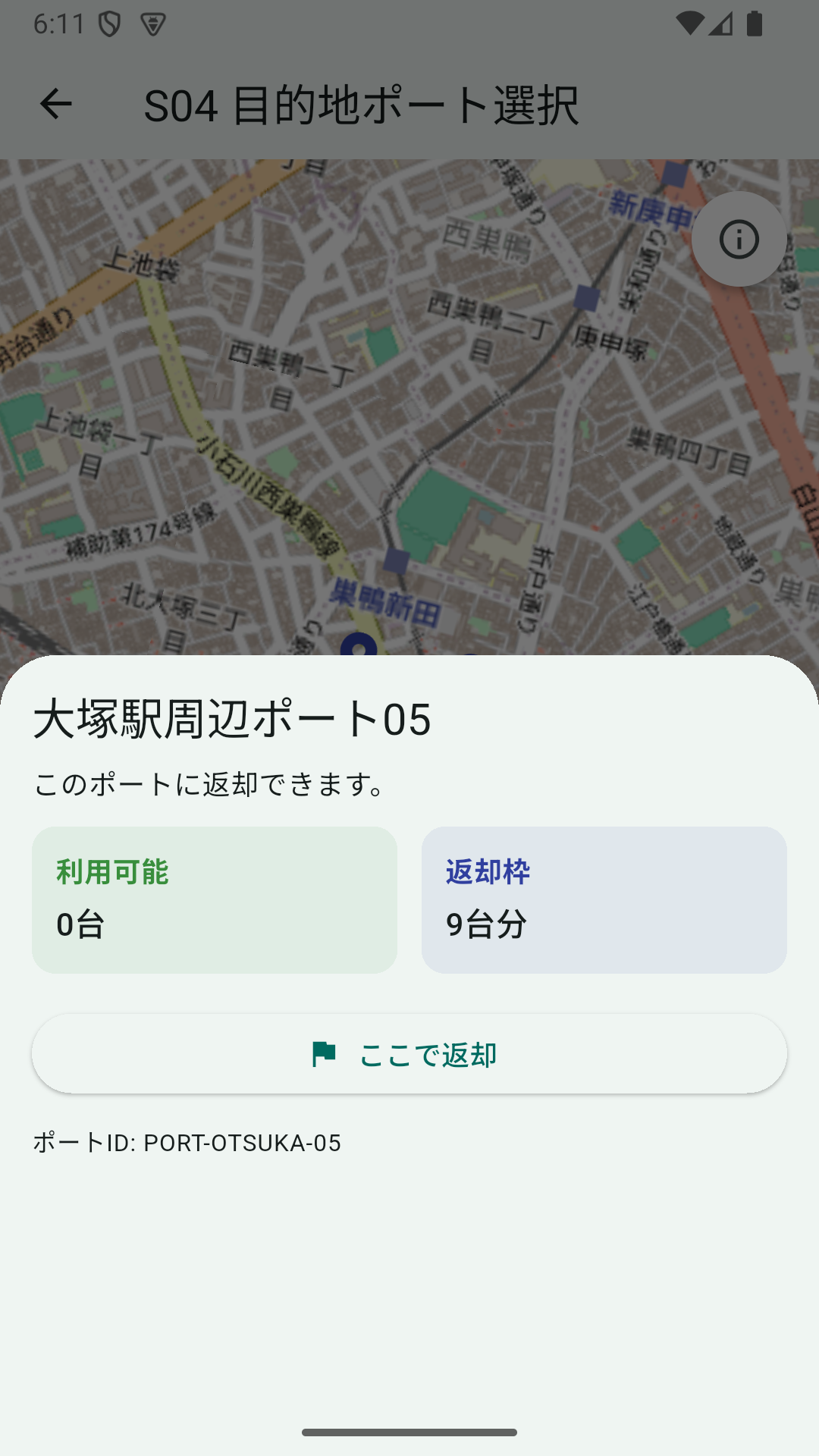
A full port (zero empty slots):
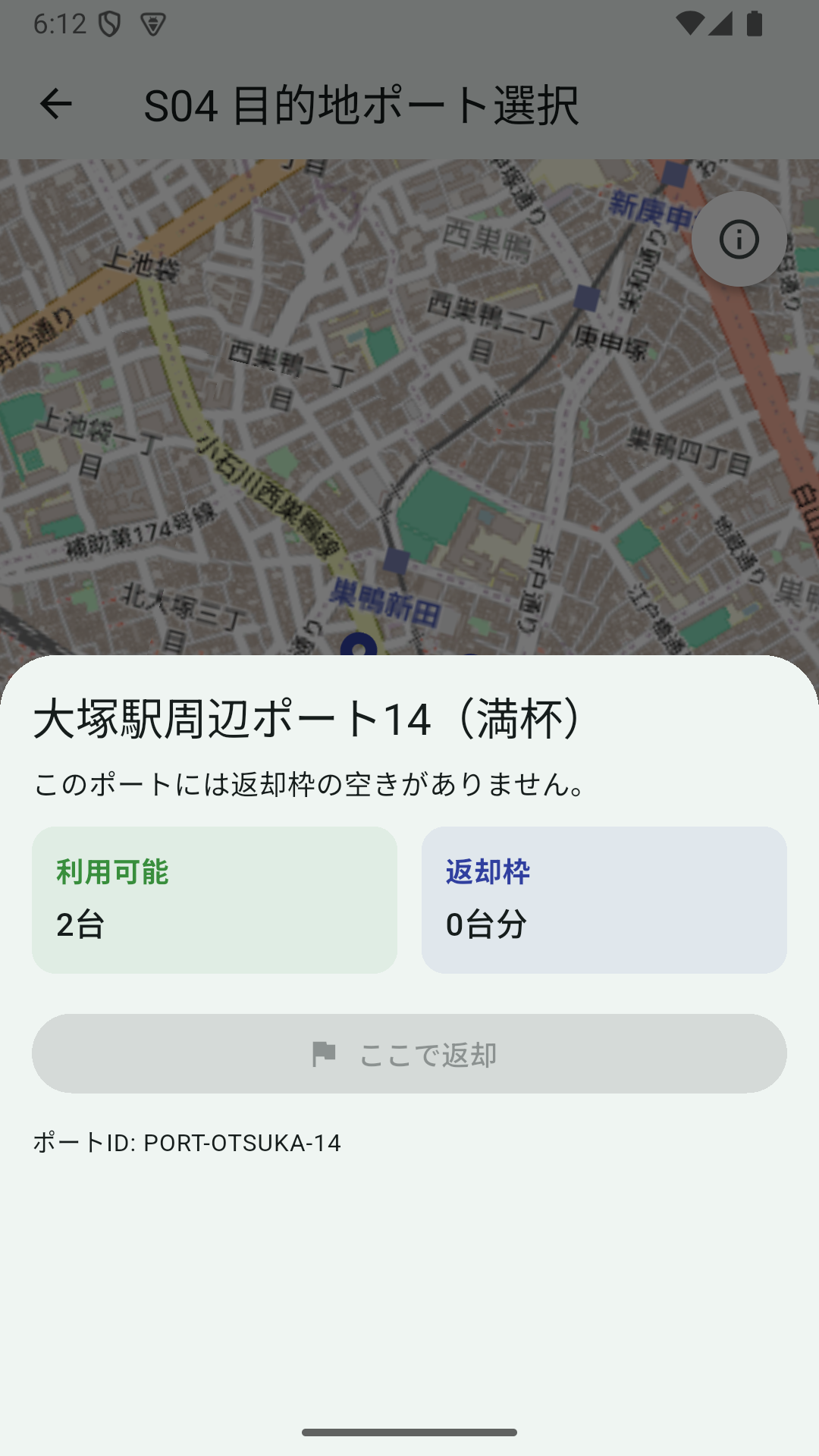
A review note also asked that the top info card fade out the same way the home screen’s card does. So a Timer fades it after 5 seconds via AnimatedOpacity, with an info_outline button in the top-right to bring it back — the same mechanism shared between both screens.
Pushing the Post-Login Flow Through dev Profile
Pressing “Return here” while logged out routes to the S05 login screen.
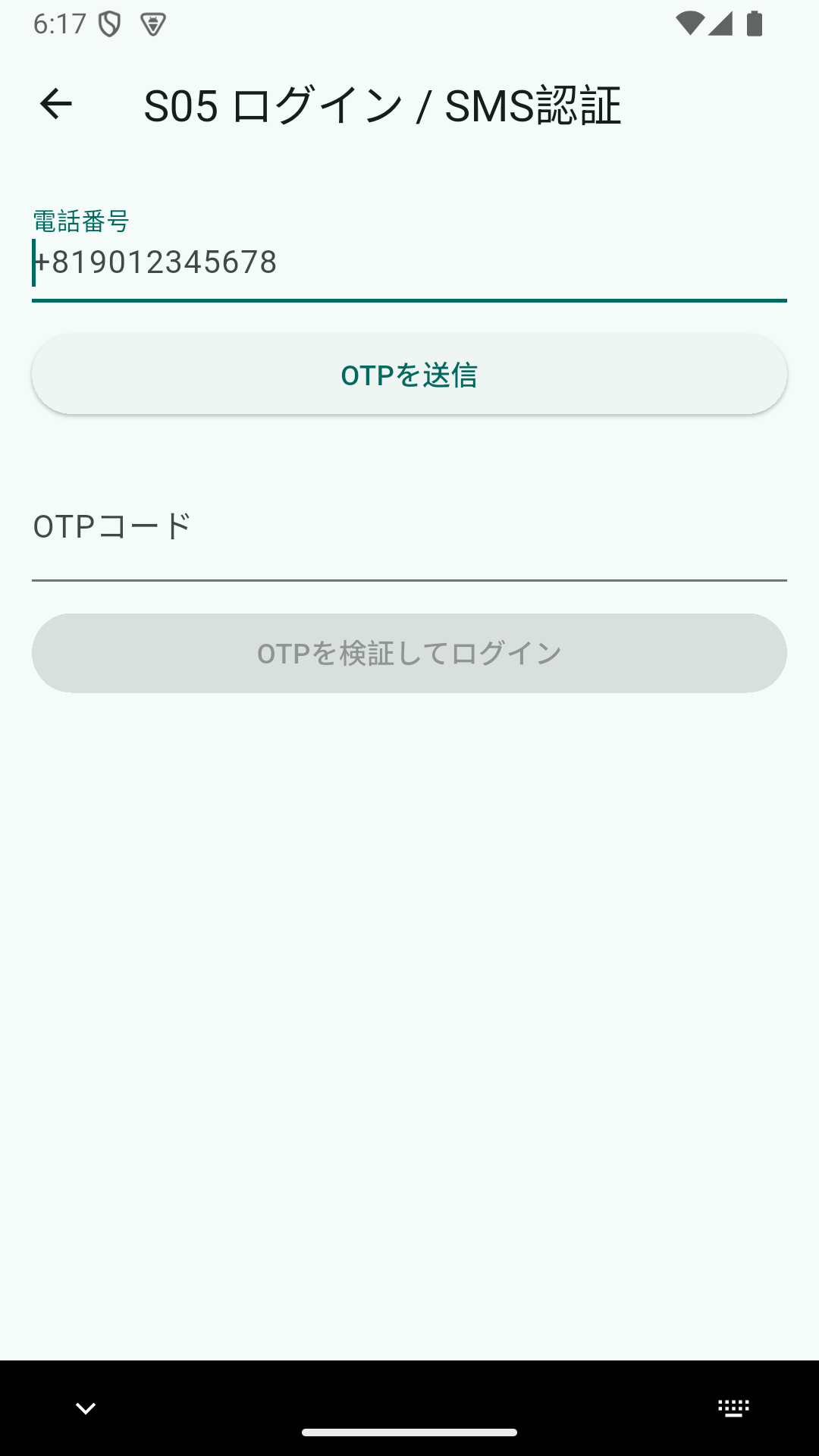
SMS isn’t actually sent. The API logs a fixed OTP 123456 instead — mock implementation. The phase priority is “verify behavior first,” so Twilio / Firebase Auth come later.
// AuthServiceImpl
log.info("[SMS Mock] phone number: {}", phoneNumber);
log.info("[SMS Mock] OTP issued: 123456");
After a successful login, a dummy JWT (dummy-jwt-token-for-userid-{UUID}) is issued.
Friction ③ No Auth Filter, So Everything Is 401
We got stuck here. AuthService issues a dummy JWT, but Spring Security doesn’t have a filter to interpret it. /users/me /payments/** /ekyc/** /rentals/** all returned 401.
In production we’ll let the Resource Server handle JWT verification, but stepping into that for a PoC burns too much time. The fix: add a single dev-only filter.
@Component
@Profile("dev")
public class DevDummyJwtAuthFilter extends OncePerRequestFilter {

    private static final Pattern DUMMY_TOKEN_PATTERN =
            Pattern.compile("^dummy-jwt-token-for-userid-([0-9a-fA-F\\-]{36})$");

    @Override
    protected void doFilterInternal(...) {
        String authHeader = request.getHeader("Authorization");
        if (authHeader != null && authHeader.startsWith("Bearer ")) {
            var matcher = DUMMY_TOKEN_PATTERN.matcher(authHeader.substring(7));
            if (matcher.matches()) {
                var auth = new UsernamePasswordAuthenticationToken(
                        matcher.group(1), null, List.of());
                SecurityContextHolder.getContext().setAuthentication(auth);
            }
        }
        chain.doFilter(request, response);
    }
}
SecurityConfig receives it via ObjectProvider<DevDummyJwtAuthFilter> and only inserts it into the filter chain when the bean exists (dev). In prod, the bean isn’t created, so the chain just passes through.
DevDummyJwtAuthFilter devFilter = devDummyJwtAuthFilterProvider.getIfAvailable();
if (devFilter != null) {
    http.addFilterBefore(devFilter, UsernamePasswordAuthenticationFilter.class);
}
Now CurrentUserProvider can pull the UUID from Authentication.getName() and hand it off to the business logic.
Payment and Traffic Rules Test
Payment registration doesn’t touch Stripe — SetupIntent and attach just return mocks.
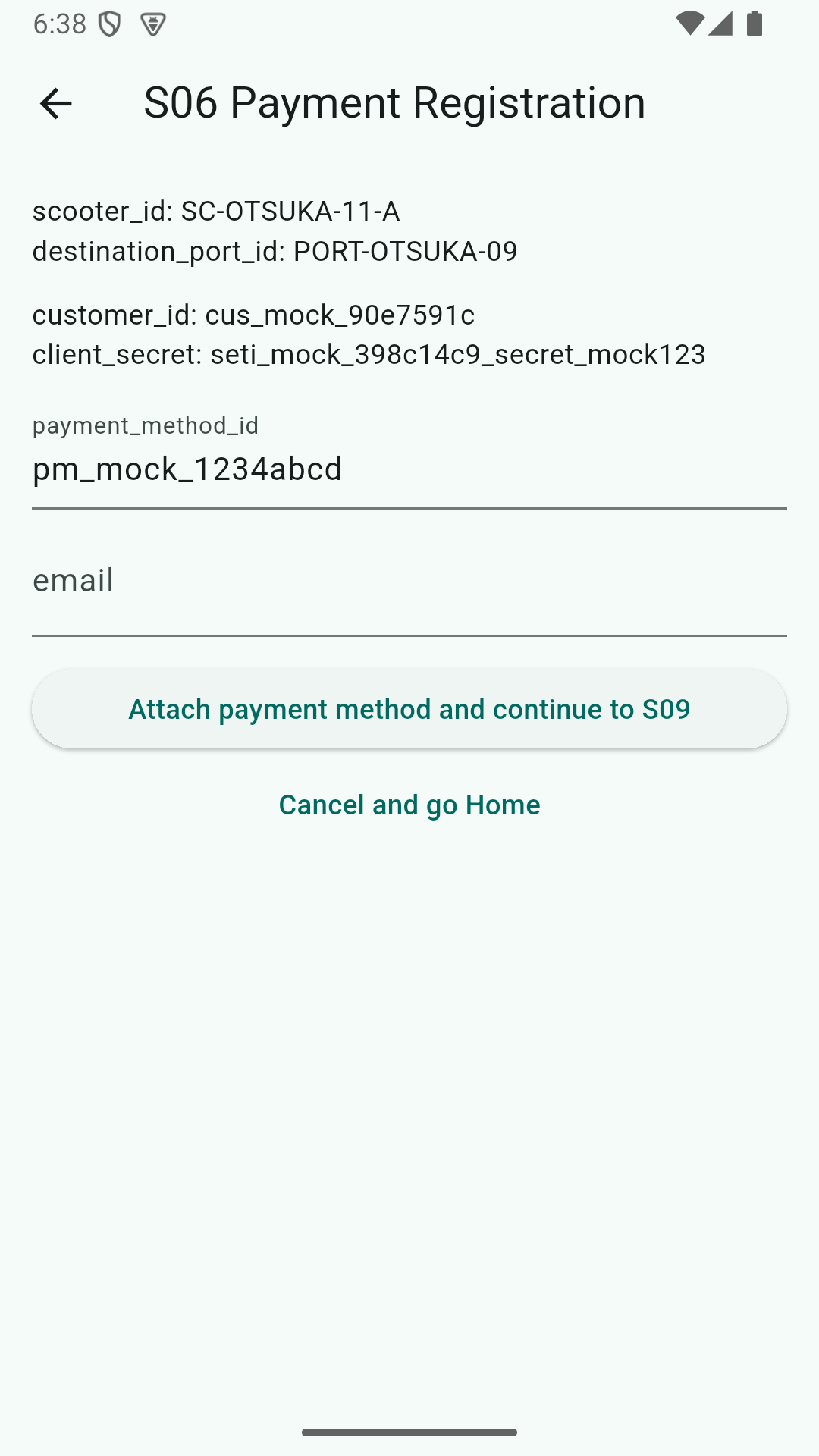
// PaymentServiceImpl
String dummyClientSecret = "seti_mock_" + UUID.randomUUID().toString().substring(0, 8) + "_secret_mock123";
return new SetupIntentResponse(dummyClientSecret, stripeCustomerId);
A successful attach flips hasPayment=true, and the next RouteGuard step advances.
The traffic rules test keeps the “only a perfect score passes” guard. The screen submits a score of 100 to pass.
Friction ④ eKYC Stuck at PENDING
The real eKYC flow is “session created → submitted → APPROVED via vendor webhook.” That async dance works in prod, but in dev there’s no one to send the webhook.
We branched this off too — in dev, jump straight from submit to APPROVED.
// EkycServiceImpl.completeSubmission
String nextStatus = isDevProfileActive() ? "APPROVED" : "PENDING";
user.setKycStatus(nextStatus);
session.setProviderStatus(nextStatus);
if ("APPROVED".equals(nextStatus)) {
    session.setReviewedAt(LocalDateTime.now());
}
Prod behavior stays intact, while dev no longer trips the RouteGuardService “kyc_status == PENDING” block.
Ride and Return
Once all flags are up, destination → “Return here” → S09 ride start confirmation, directly.
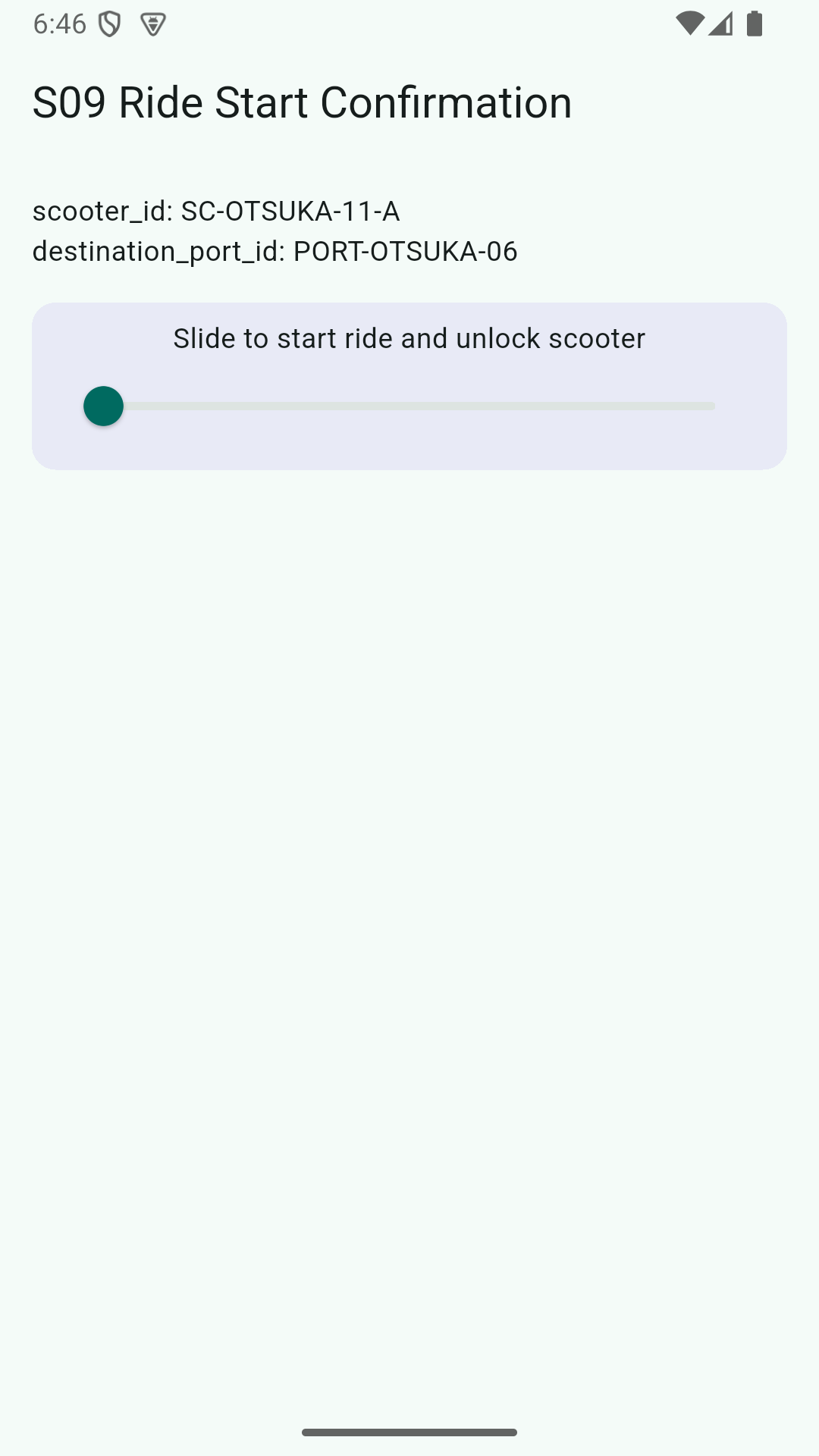
Sliding the slider to the end triggers, on the API side:
- Stripe Mock to hold a ¥500 authorization
- MQTT Mock to log the unlock command (no real MQTT)
- Insert a rental record with
IN_USEinto the DB
Since both StripePaymentService and IotDeviceService are fully mocked from the start, the service layer didn’t need any touch-up to run in dev.
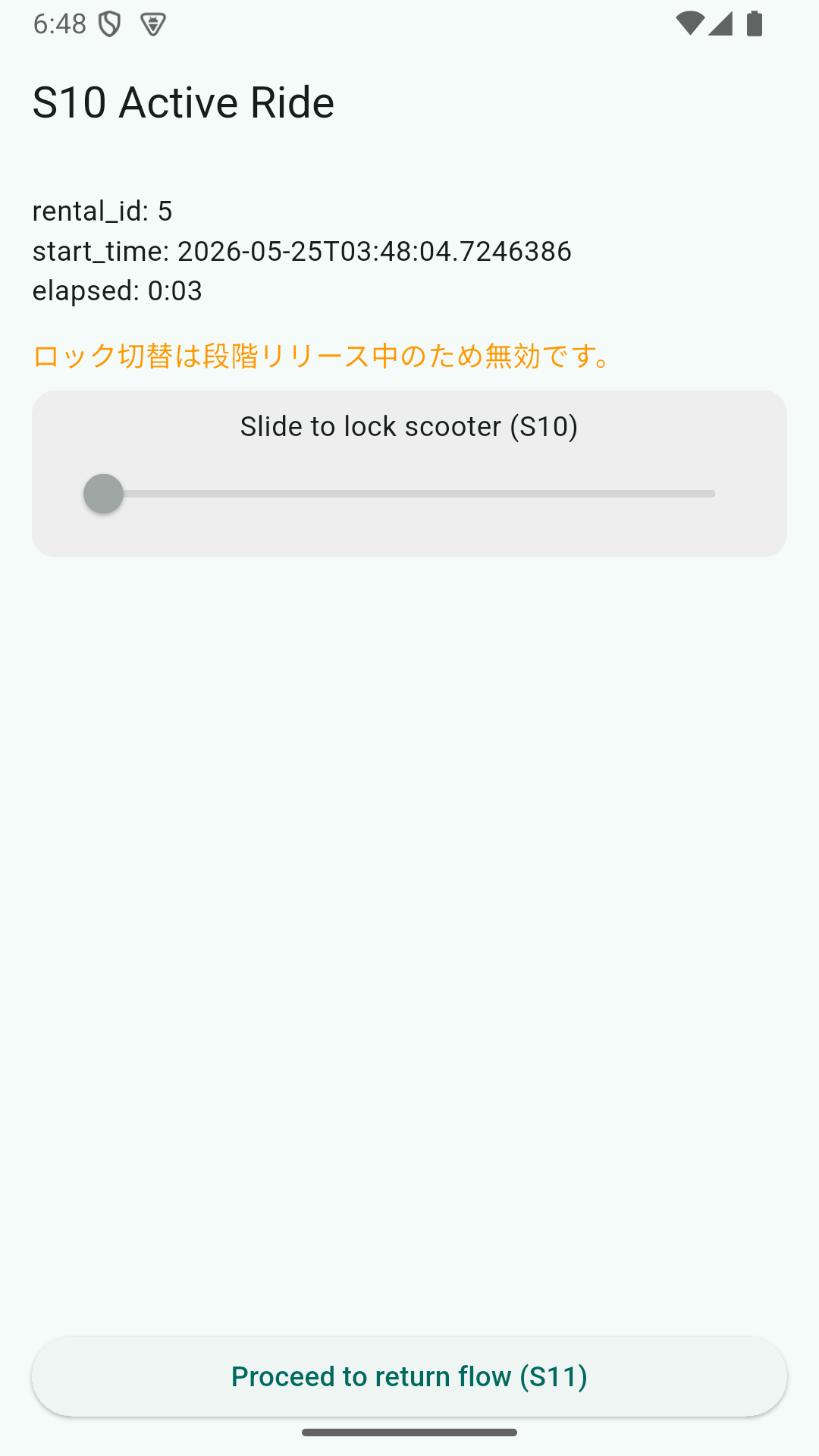
The text “Lock toggle is disabled during phased release” is because S10’s lock-toggle is gated by --dart-define=ENABLE_S10_LOCK_TOGGLE=true as a phased-release control.
Pressing the return button advances to S11.
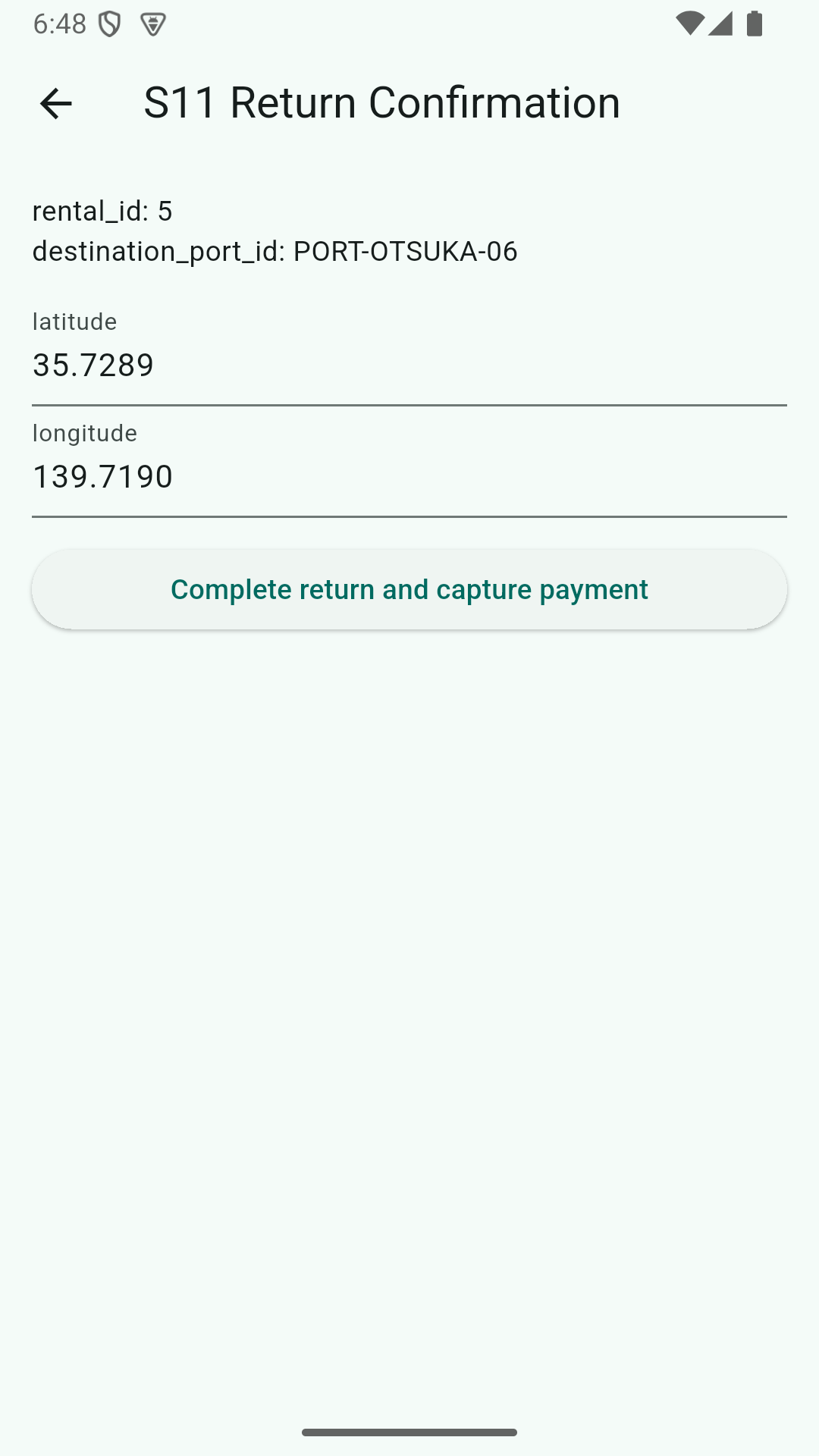
Friction ⑤ 50m Return Geofence
S11 sends latitude/longitude. The server runs Haversine against the destination port and rejects anything > 50m.
double distance = calculateDistance(request.latitude(), request.longitude(),
        rental.getDestinationPort().getLatitude(),
        rental.getDestinationPort().getLongitude());
if (distance > 50.0) {
    throw new IllegalArgumentException("You must stop within the return area");
}
The emulator’s GPS naturally points at a house several kilometers from the port, and the return screen’s lat/lng default is fixed. Editing them by hand every time isn’t realistic, so in dev profile we relax the threshold to 50000m (effectively off).
private static final double DEV_GEOFENCE_METERS = 50_000.0;
private static final double PROD_GEOFENCE_METERS = 50.0;

private double currentGeofenceMeters() {
    boolean isDev = Arrays.asList(environment.getActiveProfiles()).contains("dev");
    return isDev ? DEV_GEOFENCE_METERS : PROD_GEOFENCE_METERS;
}
The guard itself stays in prod. Only dev slips through.
Crossing the Finish Line
Completing the return shows the receipt.
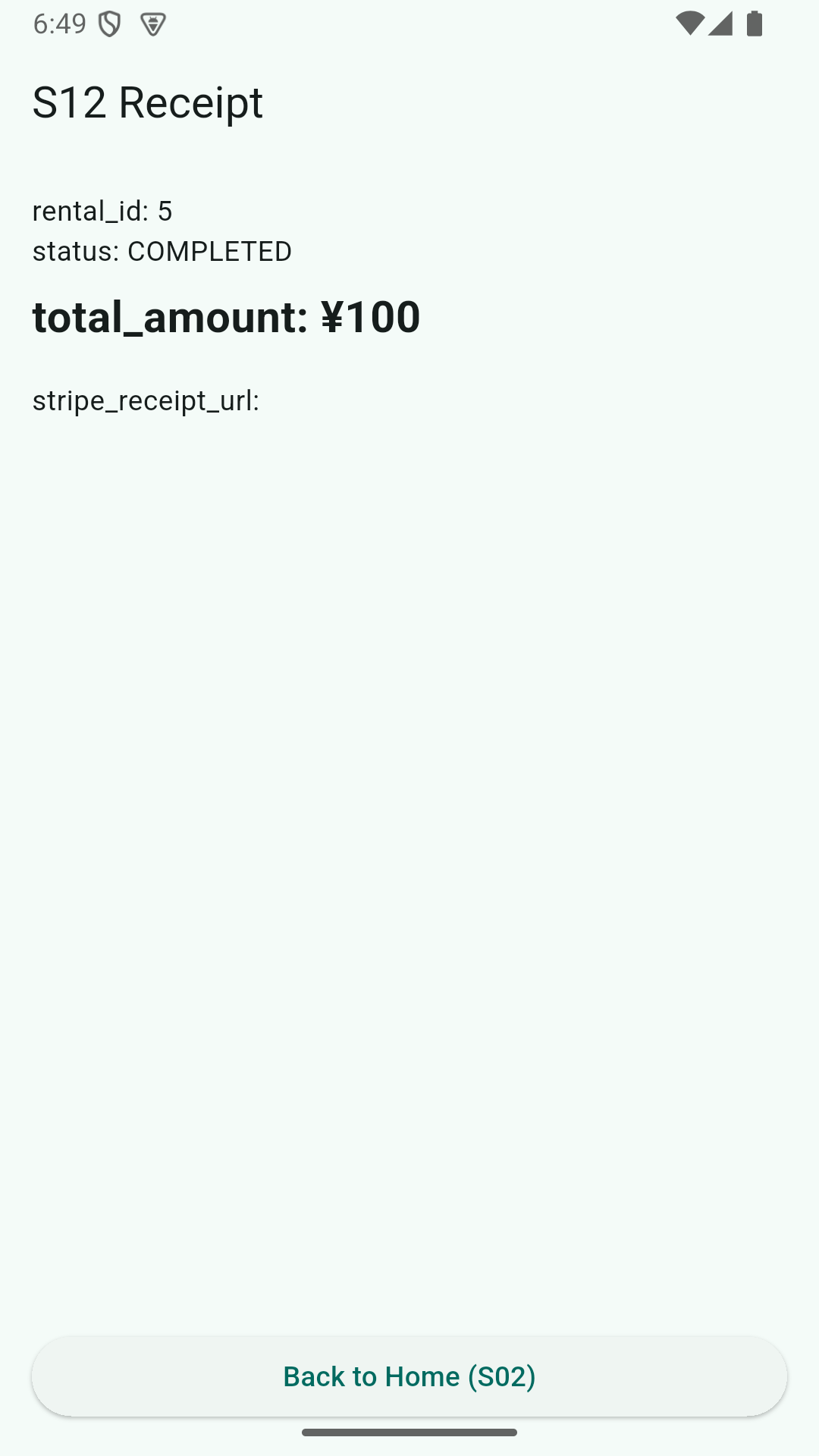
total_amount: ¥100 is dev’s per-minute rate rounded to the nearest yen. stripe_receipt_url is empty because we never hit real Stripe. Both stay as items for the productionization checklist.
What We Deliberately Left Out
- dev profile branches are confined inside API Service implementations. Controllers / DTOs / Filters stay shared with prod
- The app holds no dev/prod distinction. Code can be written as if it’s always talking to “the real API”
- No Stripe / eKYC / SMS / MQTT clients exist yet. The productionization step swaps them in via
@Profile
These calls let UI iteration and API verification proceed on a track separate from external service onboarding.
Next Steps
- Swap the SMS layer for the real thing (Twilio or Firebase Auth)
- Connect to Stripe test mode (real SetupIntent and PaymentIntent)
- Wire up the eKYC vendor API and the webhook receiver
- Connect to an MQTT broker (EMQX or AWS IoT Core)
- ride-history / admin / swapper (operator) apps
With a minimal E2E in place, each of these can be swapped without breaking the others. The plan for productionization is now “remove the dev profile if branches,” one at a time.