Why You Should Separate 'Add to Cart' and 'Buy Now' in an EC Site, and How to Implement It
In EC sites, there are two different buttons: “Add to Cart” and “Buy Now.”
These two buttons serve different purchasing behaviors. Understanding the difference — and implementing accordingly — is the foundation for improving conversion rates and user experience.
Two Types of Purchasing Behavior
Users who visit an EC site don’t all buy in the same way. Some think “I’ll buy this later together with something else,” while others think “I want this now, immediately.”
Add to Cart: For users who want to continue browsing, compare prices, or add multiple items before paying.
Buy Now: For users who have already decided, who want to minimize the steps to payment.
If only one button exists, the burden on certain users increases.
The Difference in Button Roles
| Add to Cart | Buy Now | |
|---|---|---|
| Behavior | Add item to cart → Open cart drawer | Skip cart → Go directly to checkout |
| Cart state | Reflects in cart | Doesn’t affect cart |
| Target user | Comparison shoppers | Users who’ve decided |
| UX | Check button → Confirm in drawer | Quick jump to payment |
It’s important to note that “Buy Now” doesn’t touch the cart.
This means: pressing “Buy Now” doesn’t add to cart, doesn’t clear the cart, and the cart’s contents don’t change after the Buy Now flow either.
Implementation Example with Vue 3
Here is a simplified implementation example using Vue 3.
FilmDetailModal.vue (Product Detail Modal)
Two buttons are placed: “Add to Cart” and “Buy Now.”
<template>
  <div class="modal">
    <h2>{{ film.title }}</h2>
    <p>{{ film.description }}</p>

    <div class="actions">
      <button @click="addToCart">Add to Cart</button>
      <button @click="buyNow">Buy Now</button>
    </div>
  </div>
</template>

<script setup lang="ts">
const props = defineProps<{ film: Film }>();
const emit = defineEmits<{
  (e: "add-to-cart", film: Film): void;
  (e: "buy-now", film: Film): void;
}>();

function addToCart() {
  emit("add-to-cart", props.film);
}

function buyNow() {
  emit("buy-now", props.film);
}
</script>
Importantly, this component only emits events — it doesn’t directly manipulate the cart state.
App.vue (Event Handling)
App.vue receives events from the modal and handles them differently.
<script setup lang="ts">
import { useRouter } from "vue-router";
import { useCartStore } from "@/stores/cart";

const cartStore = useCartStore();
const router = useRouter();

function handleAddToCart(film: Film) {
  cartStore.addItem(film);
  isCartDrawerOpen.value = true; // Open cart drawer
}

function handleBuyNow(film: Film) {
  // Store Buy Now item separately — don't touch cart
  buyNowItem.value = film;
  router.push({ name: "checkout", query: { mode: "buy-now" } });
}
</script>
For “Add to Cart,” the cart state is updated and the drawer is opened. For “Buy Now,” separate state is used and navigation goes directly to checkout.
CheckoutView.vue (Buy Now Mode Processing)
Checkout side-checks the route query and switches the display accordingly.
<script setup lang="ts">
import { useRoute } from "vue-router";
import { useCartStore } from "@/stores/cart";

const route = useRoute();
const cartStore = useCartStore();
const props = defineProps<{ buyNowItem?: Film }>();

// Determine what to purchase based on mode
const isBuyNowMode = computed(() => route.query.mode === "buy-now");

const itemsToCheckout = computed(() => {
  if (isBuyNowMode.value && props.buyNowItem) {
    return [props.buyNowItem]; // Only the Buy Now item
  }
  return cartStore.items; // Normal cart contents
});
</script>
This ensures the cart contents aren’t affected at all during Buy Now flow.
CartDrawer.vue
The cart drawer is an independent component that simply displays the cart contents. Since “Buy Now” doesn’t touch the cart, the drawer contents aren’t affected.
<template>
  <div class="cart-drawer" :class="{ open: isOpen }">
    <h3>Cart</h3>
    <ul>
      <li v-for="item in cartStore.items" :key="item.id">
        {{ item.title }} × {{ item.quantity }}
      </li>
    </ul>
    <button @click="router.push('/checkout')">Proceed to Checkout</button>
  </div>
</template>
Common Mistakes
Mistake 1: Buy Now Also Adds to Cart
If “Buy Now” also calls cartStore.addItem(), user trust breaks down. The feeling that “I pressed Buy Now but a different item remained in the cart” leads to cart abandonment.
Mistake 2: Buy Now Clears the Cart
If pressing “Buy Now” clears the cart, a user thinking “I want to buy this one now, but also check out the other items later” loses their carefully arranged cart.
The correct approach is to manage Buy Now state separately from the cart.
Mistake 3: Only One Button Provided
From a UX perspective, if only “Add to Cart” exists, users who have decided are forced to go through the cart. This increases unnecessary steps and can reduce conversion.
Importance of UX Design Decisions
This “separation of two buttons” actually involves decisions that go beyond UI design:
- What state to manage for Buy Now items
- Whether Buy Now state persists across page navigation
- Whether to show confirmation screen in Buy Now flow
These are decisions where design, state management, and routing all intersect. In this project’s implementation, the decisions made are recorded in the UX Decision Log.
Actual Screens
CTA buttons on the film detail page (“Rent Now” and “Add to Cart”):

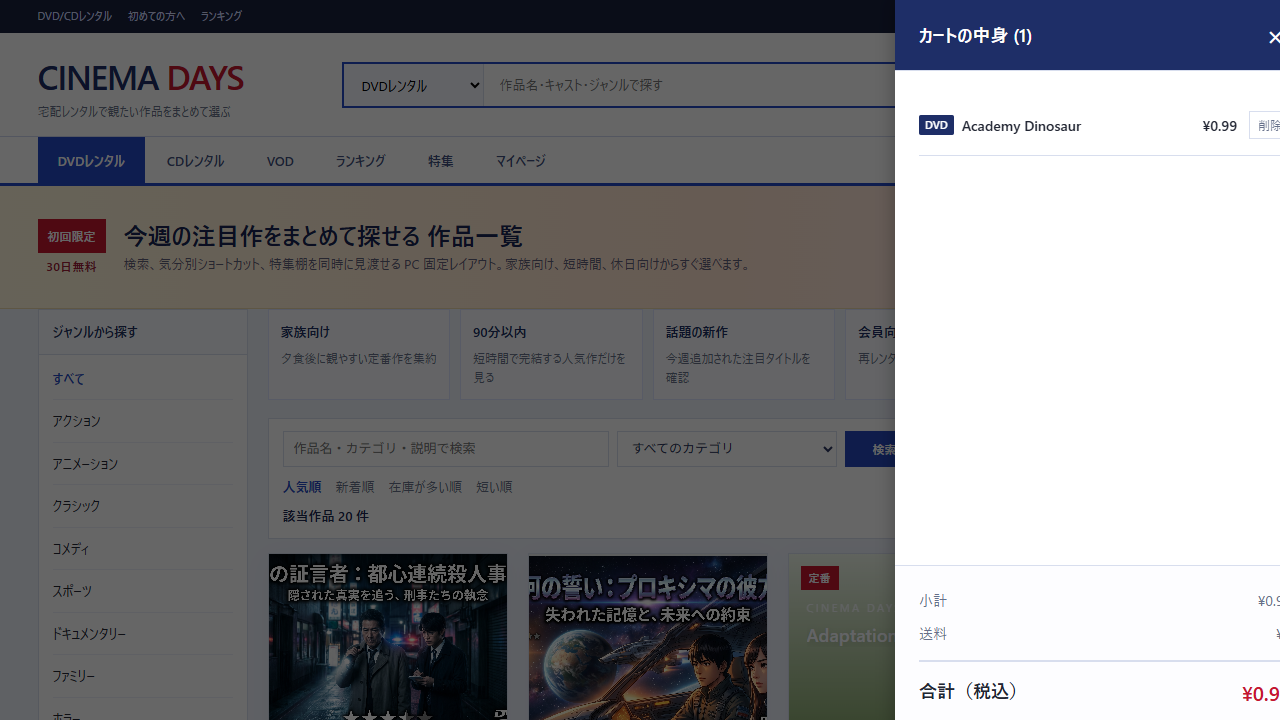
Cart drawer after pressing “Add to Cart”:
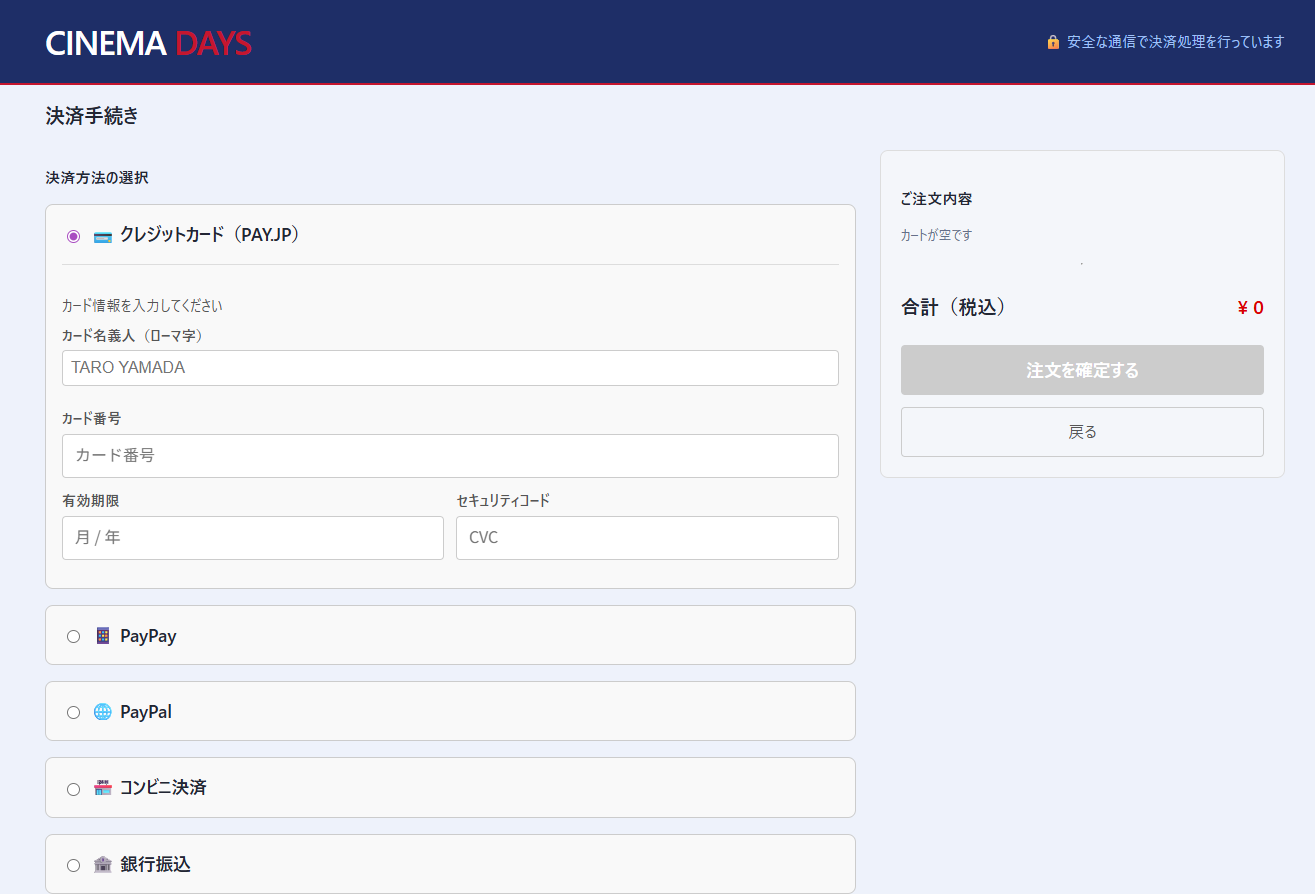
Checkout screen after pressing “Rent Now”:
Summary
“Add to Cart” and “Buy Now” serve completely different user intents. The key points are:
- Buy Now doesn’t touch the cart
- Components only emit events, state is managed in the parent
- Checkout switches display based on mode
Properly separating these two functions leads to checkout flow that users can use comfortably.