Why an EC Site Should Separate 'Add to Cart' and 'Buy Now', and How to Implement It
Introduction
When building an EC site, have you ever hesitated over whether a product page’s purchase button should
add to the cart, or go straight to purchase?
This is a concept that should be clearly separated at the UX design level.
Mix them up, and users get confused: “Wait, did I just buy it, or did I just add it to the cart?”
The Problem the Two Buttons Solve
Two Types of User Purchasing Behavior
Behavior A: I want to buy several things together
“This movie, and that movie, and one more. I want to rent all three together.”
→ Add to cart → Review on the cart page → Pay for everything at once
Behavior B: I want to buy just this one, right now
“I like this movie. I want to watch it right away.”
→ Straight from the product page to checkout → Done immediately
If you try to handle both with a single button, one of the two experiences gets sacrificed.
The Difference in Button Roles
| Button | Role | Navigates to |
|---|---|---|
| Add to Cart | Adds the item to the cart | Cart drawer or cart page |
| Buy Now | Goes straight into the checkout flow | Checkout screen |
Implementation Example in Vue 3
<!-- FilmDetailModal.vue -->
<template>
  <div class="film-actions">
    <!-- Add to Cart: adds to the cart and opens the drawer -->
    <button
      class="btn btn-outline-primary"
      @click="addToCart"
      :disabled="isInCart"
    >
      <i class="bi bi-cart-plus" />
      {{ isInCart ? 'Already in Cart' : 'Add to Cart' }}
    </button>

    <!-- Buy Now: goes straight to checkout -->
    <button
      class="btn btn-primary"
      @click="buyNow"
    >
      <i class="bi bi-lightning-fill" />
      Buy Now
    </button>
  </div>
</template>

<script setup lang="ts">
import { computed } from 'vue'
import { useCartStore } from '@/stores/cartStore'
import { useRouter } from 'vue-router'

interface Props {
  filmId: number
  title: string
  rentalRate: number
}
const props = defineProps<Props>()
const cartStore = useCartStore()
const router = useRouter()

const isInCart = computed(() =>
  cartStore.items.some(item => item.filmId === props.filmId)
)

// Add to cart
function addToCart() {
  cartStore.addItem({
    filmId: props.filmId,
    title: props.title,
    rentalRate: props.rentalRate,
  })
  cartStore.openDrawer()  // open the side drawer to show the cart
}

// Buy Now: go to checkout with just this item
function buyNow() {
  router.push({
    path: '/checkout',
    query: {
      mode: 'buy-now',
      filmId: props.filmId,
    },
  })
}
</script>
Handling “Buy Now” Mode on the Checkout Screen
When accessed as /checkout?mode=buy-now&filmId=123,
the checkout target is just the specified item — not the cart’s contents.
// CheckoutView.vue
import { useRoute } from 'vue-router'
import { useCartStore } from '@/stores/cartStore'
import { ref, onMounted } from 'vue'

const route = useRoute()
const cartStore = useCartStore()

// Items to check out
const checkoutItems = ref([])

onMounted(async () => {
  if (route.query.mode === 'buy-now' && route.query.filmId) {
    // Buy Now: just this item
    const film = await fetchFilm(Number(route.query.filmId))
    checkoutItems.value = [film]
  } else {
    // Normal flow: the cart's contents
    checkoutItems.value = cartStore.items
  }
})
Cart Drawer UI
When “Add to Cart” is pressed, opening a drawer from the side without navigating away is good UX.
It lets the user choose between “check the cart → keep shopping” or “check the cart → go to checkout.”
<!-- CartDrawer.vue -->
<template>
  <Transition name="slide-right">
    <div v-if="cartStore.isDrawerOpen" class="cart-drawer">
      <div class="cart-drawer-header">
        <h5>Cart ({{ cartStore.totalItems }} items)</h5>
        <button @click="cartStore.closeDrawer()">✕</button>
      </div>

      <div class="cart-drawer-body">
        <CartItem
          v-for="item in cartStore.items"
          :key="item.filmId"
          :item="item"
        />
      </div>

      <div class="cart-drawer-footer">
        <div class="total">Total: ¥{{ cartStore.totalAmount }}</div>
        <RouterLink to="/checkout" @click="cartStore.closeDrawer()">
          <button class="btn btn-primary w-100">
            Proceed to Checkout
          </button>
        </RouterLink>
      </div>
    </div>
  </Transition>

  <!-- overlay -->
  <div
    v-if="cartStore.isDrawerOpen"
    class="cart-overlay"
    @click="cartStore.closeDrawer()"
  />
</template>
Common Mistakes
❌ Navigating Straight to Checkout When “Add to Cart” Is Pressed
This ends up as a design with no real concept of a cart.
Users who want to buy multiple items together are left stuck.
❌ “Buy Now” Adding to the Cart Before Navigating to Checkout
This pollutes the cart.
Open the cart after “Buy Now,” and the item you already bought is still sitting there.
❌ A Single Button That Toggles Between “Add to Cart” and “Buy”
This adds a step for the user to select their intent. Placing two separate buttons is more intuitive.
Summary
| Add to Cart | Buy Now | |
|---|---|---|
| Purpose | Preparing to buy multiple items together | Buying one item right away |
| Navigates to | Cart drawer / cart page | Checkout screen |
| Effect on cart | Adds to the cart | Doesn’t touch the cart |
| Behavior afterward | Can keep browsing | Stays focused on checkout until payment completes |
Amazon and Rakuten separating “Add to Cart” from “Buy Now” comes from exactly this kind of UX design reasoning.
Implementation in This App
This DVD rental app implements it not with Vue Router or Pinia, but with emit events and a currentPage ref.
CTA Buttons on the Film Detail Page (Actual Code)
<!-- FilmDetailView.vue -->
<div class="cta-row">
  <!-- The wording changes depending on whether this is the rental section -->
  <template v-if="isRentalSection">
    <button class="btn-primary" @click="emit('direct-checkout', film)">Rent Now (Checkout)</button>
    <button v-if="isAuthenticated" class="btn-secondary" @click="emit('add-to-cart', film)">Add to Cart</button>
  </template>
  <template v-else>
    <button class="btn-primary" @click="emit('direct-checkout', film)">Buy Now (Checkout)</button>
    <button v-if="isAuthenticated" class="btn-secondary" @click="emit('add-to-cart', film)">Add to Cart</button>
  </template>

  <button class="btn-secondary" @click="emit('add-watch-later', film)">Add to Favorites</button>
</div>
The emit type definition:
const emit = defineEmits<{
  (e: 'back'): void
  (e: 'direct-checkout', film: PublicFilmSummary): void
  (e: 'add-to-cart', film: PublicFilmSummary): void
  (e: 'add-watch-later', film: PublicFilmSummary): void
}>()
Handling in App.vue (Actual Code)
// App.vue (the emit receiver)

// Add to cart: persisted to localStorage via the useCart composable
function handleAddToCart(film: PublicFilmSummary) {
  const added = addToCart(film)
  if (added) {
    cartToastMessage.value = `"${film.title}" was added to the cart`
    cartToastTimer = setTimeout(() => { cartToastMessage.value = '' }, 2000)
  }
}

// Buy Now: switch currentPage to navigate to checkout
const handleDirectCheckout = (film: PublicFilmSummary) => {
  selectedFilm.value = film
  currentPage.value = 'checkout'
}
The cart doesn’t use a router or a global store — the useCart composable, as a singleton, handles persistence to localStorage.
Navigation, too, is done just by rewriting the currentPage ref, a union literal type.
Actual Screens
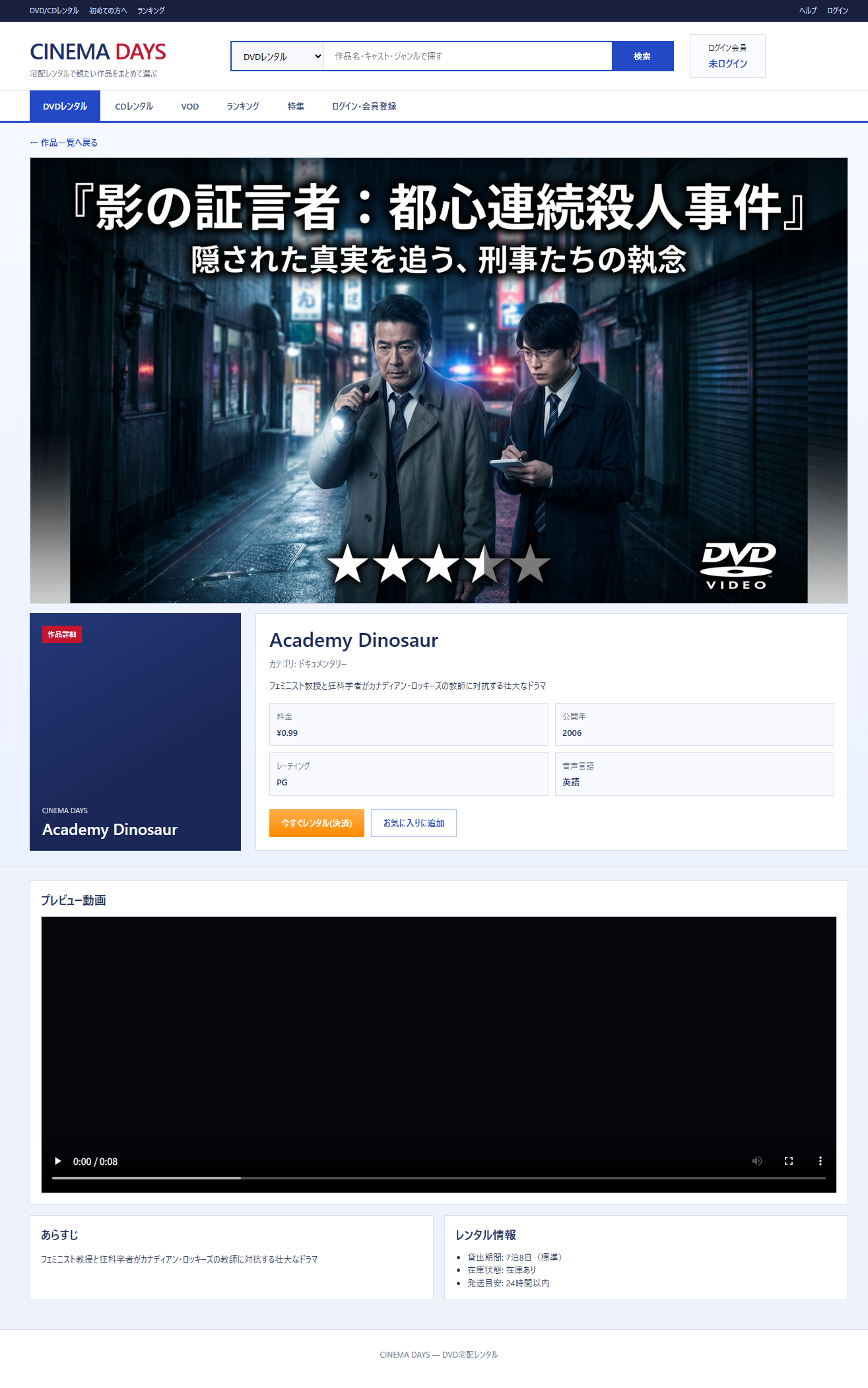
The film detail CTA buttons (“Rent Now” and “Add to Cart”):
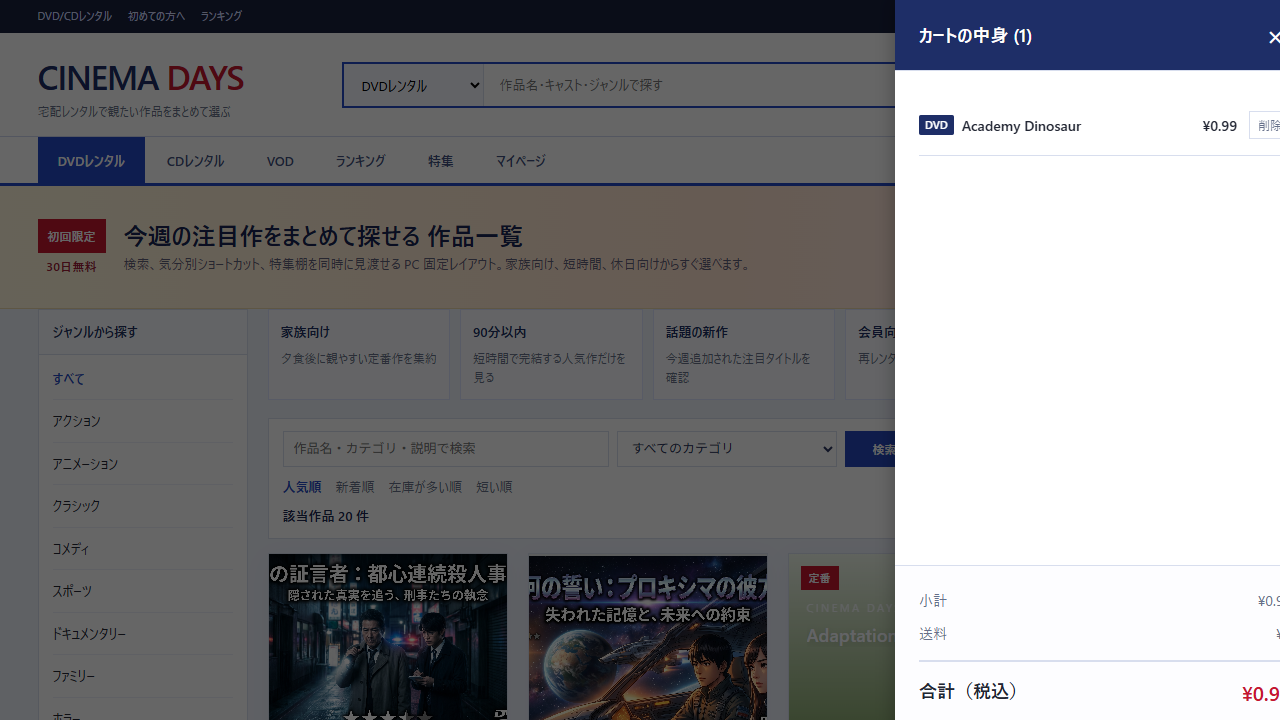
The cart drawer after “Add to Cart”:
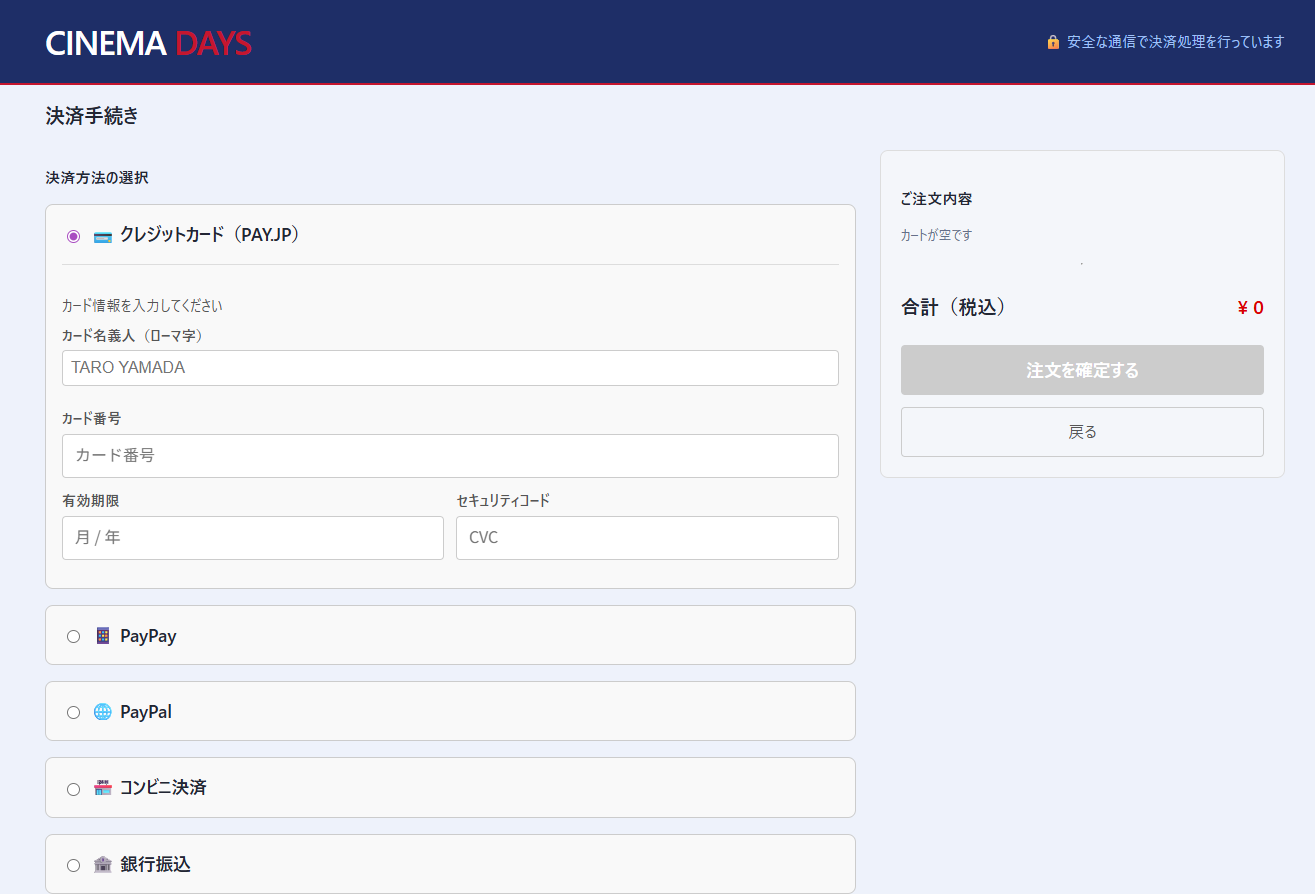
The checkout screen reached via “Rent Now”: